
Desktop Speakers for a Small Workspace: Buy the Setup, Not Just the Boxes
How to choose a compact desktop speaker system around desk space, connections, volume controls, and shared rooms.
Our advice is based on published information and practical buying considerations, not hands-on testing. Product links in this article are direct manufacturer links. If a link earns us a commission, we label it. Read our affiliate disclosure.
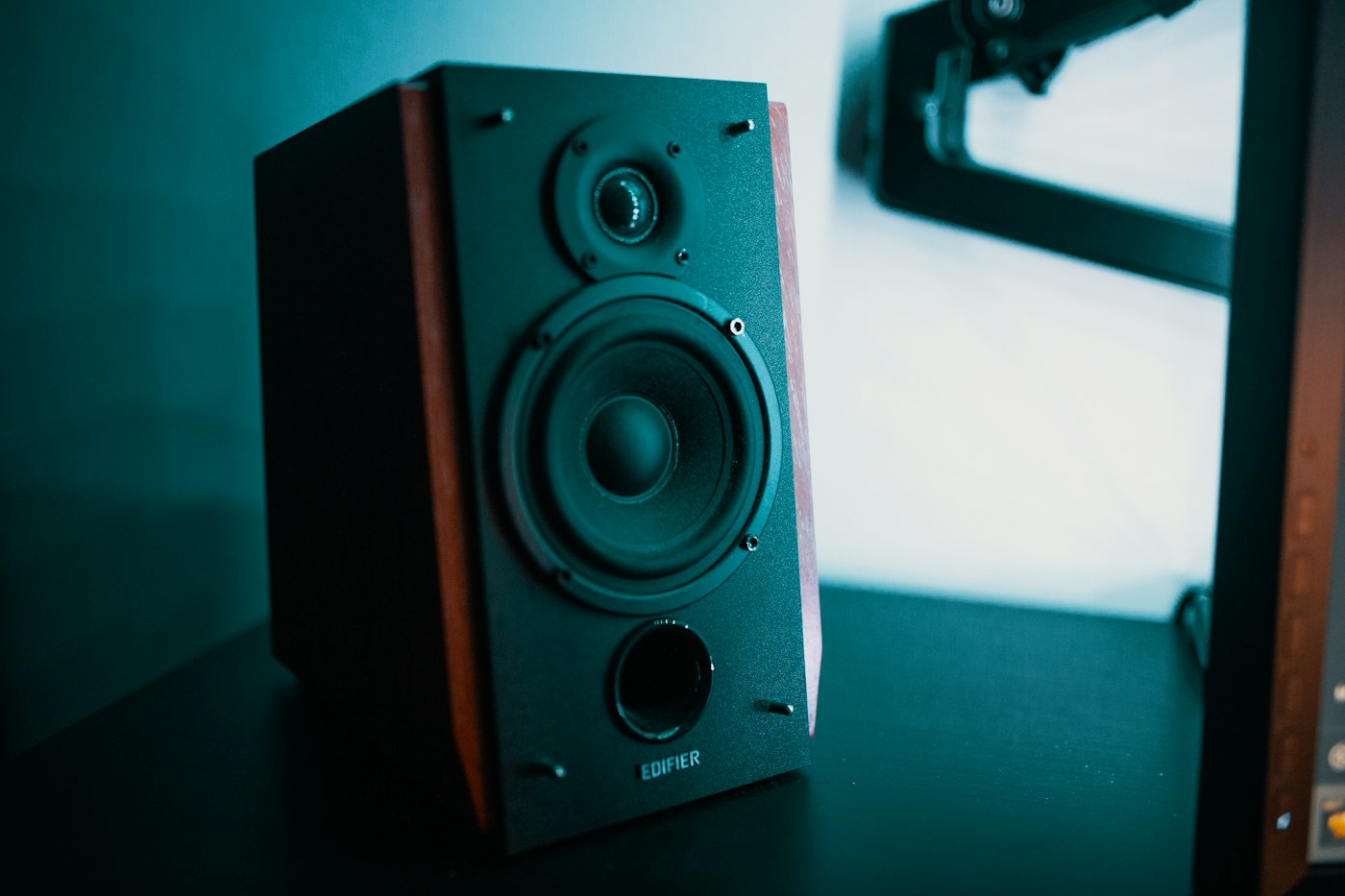
Your laptop is tucked beside a monitor, a notebook occupies the remaining desk space, and music sounds as though it is coming from underneath the keyboard. A pair of desktop speakers can make listening more comfortable, but only if there is room to place them sensibly. Adding large boxes to an already crowded surface is not automatically an upgrade.
For a fixed desk, start with a powered stereo pair and the connections your computer actually offers. For a shared room or a desk that disappears after work, headphones or a smaller portable solution may be easier to live with. The goal is a usable setup at ordinary listening levels, not the most impressive power figure.
Choose around the desk
| Workspace | Sensible starting point | Watch for |
|---|---|---|
| Permanent home desk | Powered left and right speakers | Space beside the screen |
| Laptop with no analog output | Speakers with suitable digital input, or an adapter | Extra conversion and cable costs |
| Shared bedroom | Headphones plus occasional speakers | Disturbing another person |
| Dining table used for work | A compact removable solution | Setup time every morning |
Edifier R1280T is an example worth researching if a wired powered bookshelf pair suits your room. Edifier's official product page provides its connection and control details. It is a reference for a conventional stereo setup, not our claim of a laboratory-tested winner. Confirm the exact model suffix before ordering because similarly named products can have different inputs.
Placement can be the larger upgrade
Begin by clearing space on either side of your display. Keep the left and right positions reasonably balanced relative to your chair. Avoid hiding one speaker behind the monitor while the other sits unobstructed. You are trying to hear a coherent presentation at your normal working position, not fill every corner of the house.
If the drivers sit well below your ears, stands or angled supports may help position them. Include those accessories in the budget rather than treating them as an afterthought. Check stability and available clearance before buying; a tall improvised stack near a keyboard is not a sensible substitute for an appropriate support.
A desk also behaves differently from a dedicated listening room. Nearby walls, shelving, and the work surface affect what reaches you. Leave room to experiment within the manufacturer's placement guidance before deciding a speaker is wrong for the space.
Draw the connection path
Write the full chain: computer output, cable or adapter, speaker input, and power outlet. If you cannot name each connection, pause before purchasing. USB-C describes a connector family and does not guarantee that every cable, adapter, or speaker supports the audio path you imagined.
A wired setup can be convenient at a permanent desk because it avoids daily pairing. Wireless listening can be useful when several people take turns playing music, but do not buy a particular model assuming that every version includes Bluetooth. The official specification for the exact model is the useful document here.
Volume control placement matters too. Reach for the proposed control while sitting normally. A knob tucked behind the monitor or a remote that routinely disappears can make a technically capable system annoying in daily use.
Spend on the part you will notice
At conversational room levels, easy control and good placement may matter more than a larger cabinet. A subwoofer adds another object and another placement decision. Start without one unless your listening goals and room justify it, especially where neighbors share the wall or floor.
Skip speakers altogether if you need private calls, work next to someone sleeping, or cannot position a stereo pair safely. A purchase should support the household routine rather than create an ongoing negotiation about volume.
Before checkout
- Measure the cabinet footprint and cable clearance.
- Verify the exact input types and included cables.
- Count available outlets and plan safe cable routing.
- Include stands or an adapter in the complete cost.
- Check the return policy and test at your actual listening level.
Frequently asked questions
Can I connect powered speakers directly to a computer?
Often, if the computer output and speaker input are compatible. Some setups need an adapter or external audio interface. Verify the complete chain rather than assuming a connector will fit.
Do I need an amplifier as well?
Powered speakers contain amplification for their intended setup. Passive speakers require suitable amplification. Read the product documentation carefully so you do not buy an unnecessary extra component.
Explore the options
Use the manufacturer’s current specifications to confirm the exact version, compatibility and return terms before buying. Prices and availability can change.
Edifier R1280T
Why consider it: A conventional powered stereo option for a permanent wired workspace.
The tradeoff: Bookshelf cabinets still need meaningful space beside a monitor.
Explore at the manufacturer ↗Sources & further reading
Source information checked September 30, 2026. Product revisions and regional availability may differ.
See something that needs correcting? Contact our editorial inbox.
Keep exploring
View all
The Commuter’s Guide to Headphones You Will Actually Carry
Choose commuting headphones around comfort, bag space, awareness, and your daily route—not just noise cancellation.

Buying Earbuds for Office Calls: Start With Your Workday
A practical guide to call comfort, microphone expectations, connection switching, and choosing earbuds for hybrid work.

Choosing an Apartment Soundbar Without Overbuying
Make TV dialogue easier to follow while keeping connections, neighbors, and a small living room in mind.