
Mechanical or Low-Profile? A Keyboard for the Way You Type
Find the right keyboard for a shared office, a compact desk or a day spent moving between laptop and desktop.
Our advice is based on published information and practical buying considerations, not hands-on testing. Product links in this article are direct manufacturer links. If a link earns us a commission, we label it. Read our affiliate disclosure.
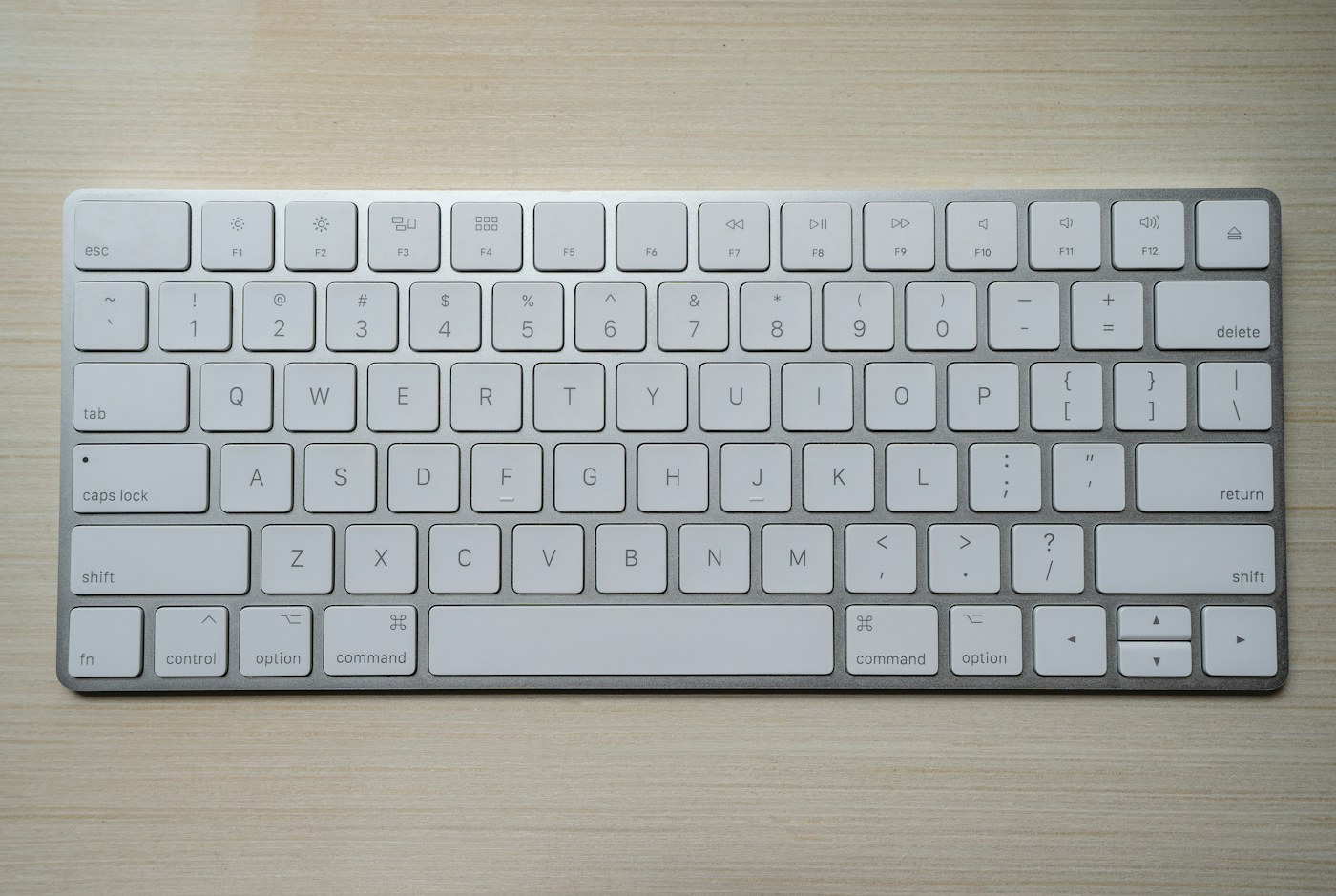
You finish a meeting, start a long document and notice that your desk keyboard feels completely different from your laptop. Perhaps you like the deeper movement. Perhaps every sentence sounds too loud in the room you share with someone else. Keyboard shopping gets easier when you stop treating mechanical and low-profile as opposing categories.
The short verdict
Mechanical describes the switch mechanism; low-profile describes a shorter design. A keyboard can be both. Choose around comfortable reach, familiar layout and acceptable noise before considering enthusiast extras. The Logitech MX Mechanical is one low-profile mechanical option to investigate, not a universal recommendation for every typist.
Which direction fits your routine?
| Your situation | Useful direction | Tradeoff to consider |
|---|---|---|
| Frequent laptop-to-desk switching | Lower keyboard height and familiar spacing | Key feel can still differ from a laptop |
| Dedicated home office | Mechanical design with a switch you enjoy | Some combinations are noisy |
| Shared room or frequent calls | Quiet operation as a first requirement | Mechanical does not automatically mean quiet |
| Narrow desk with a mouse | Compact layout | Fewer dedicated navigation keys |
Start with the keys you actually use. An accountant who relies on a number pad may dislike a compact board that looks beautiful in photographs. Someone editing text may care more about dedicated arrow and navigation keys. Saving a few inches is worthwhile only if you do not spend the day relearning basic shortcuts.
Height changes the whole setup
A taller keyboard may require a different arm position or palm support than a laptop-style board. Neither a thin case nor an expensive switch guarantees comfort. Place the keyboard close enough that your shoulders stay relaxed, and avoid reaching around unused equipment to get to the mouse.
If you already type comfortably on a laptop, a low-profile keyboard may make the transition less disruptive. If you prefer more key travel and a distinct tactile response, a conventional mechanical keyboard may suit you. Try a physical example when possible; written descriptions cannot predict your preference with certainty.
Sound deserves a real-world decision
Switch labels are only part of keyboard noise. Keycaps, case construction, typing force and the desk surface all contribute. A recording can help compare character, but it will not reproduce the sound level in your room. Do not buy a loud switch because a reviewer finds the sound satisfying if your partner works nearby.
For regular video meetings, remember that microphone position matters too. A keyboard directly beneath a sensitive laptop microphone can become distracting. A quieter board and sensible microphone placement may help more than software noise suppression alone. If silence is the main requirement, include non-mechanical keyboards in your shortlist.
Wireless convenience has conditions
Check which connection methods the exact keyboard supports and which work with your computer. Think about moving between a work laptop and a personal machine, charging access, and whether company policy permits wireless accessories. A wired connection can be perfectly sensible for a keyboard that never leaves the desk.
The MX Mechanical gives shoppers a concrete low-profile mechanical model to research. Inspect the selected regional layout, switch variant and operating-system support on its current product page. Product families can include similar-looking versions with different features, so keep the complete model name in your shopping notes.
Where to spend and where to stop
Spend on the correct layout and a feel you can live with daily. Replaceable parts or extensive customization may be useful to an enthusiast, but they are not necessary for answering email. Decorative lighting is optional, and elaborate software is not automatically an advantage on a locked-down work computer.
Before you buy
- List indispensable keys and shortcuts.
- Measure keyboard width together with mouse space.
- Choose the correct language and regional layout.
- Check computer and connection compatibility.
- Consider noise in the actual room.
- Confirm the exact switch option in your order.
- Read return terms in case the feel does not suit you.
Frequently asked questions
Are mechanical keyboards better for everyone?
No. They offer different feel and customization possibilities, but comfort, noise and layout matter more than the category name.
Does low-profile mean laptop-like?
Not necessarily. It can reduce height while retaining a distinctly mechanical feel. Treat it as a design description, not a promise about typing experience.
Should I buy a palm rest immediately?
Only if it improves your setup. First adjust the keyboard position and chair. An accessory cannot compensate for an awkward reach or a desk that is too high.
Explore the options
Use the manufacturer’s current specifications to confirm the exact version, compatibility and return terms before buying. Prices and availability can change.
Logitech MX Mechanical
Why consider it: A low-profile mechanical model to compare when desk space and laptop transitions matter.
The tradeoff: Mechanical switch feel and noise remain personal; confirm the exact layout and switch option.
Explore at the manufacturer ↗Sources & further reading
Source information checked September 30, 2026. Product revisions and regional availability may differ.
See something that needs correcting? Contact our editorial inbox.
Keep exploring
View all
The USB-C Dock That Fits Your Actual Workday
Choose a laptop dock around your screens, charging needs and daily routine, without paying for ports you will never use.

Choosing a Monitor for a Small Workspace
Make a small desk more comfortable with the right screen size, stand, connections and text settings.

A Better Video Call Starts Before You Buy a Webcam
Choose a webcam for remote meetings after fixing lighting, camera height and the parts of the call that matter most.